
Technology is becoming an essential part of everyday life. From managing work schedules and learning new skills to shopping, traveling, and staying connected, mobile applications help people complete tasks with greater convenience. In 2026, innovative apps are making daily routines smarter by combining useful features, automation, and artificial intelligence.
The best innovative apps are not simply popular applications. They are tools that solve real problems, save time, and improve the way people work or live. Some apps help organize tasks, while others support creativity, communication, personal finance, health, and entertainment.
Whether you are a student, professional, entrepreneur, or content creator, the right applications can help you manage your responsibilities more effectively. This article explores some of the best innovative apps to make life easier in 2026, along with their features, benefits, and practical uses.
What Are Innovative Apps?

Innovative apps are digital applications that introduce useful features, smarter processes, or new ways to complete everyday tasks. They may use technologies such as artificial intelligence, cloud computing, automation, or real-time data to improve user experiences.
For example, a productivity app can organize tasks and reminders, while an AI-powered application may assist with writing, brainstorming, or summarizing information.
Innovative apps can be useful in several areas:
- Productivity and task management
- Education and skill development
- Communication and collaboration
- Travel and navigation
- Personal finance
- Health and fitness
- Creativity and content creation
- Smart home management
The main purpose of these apps is to make technology practical and accessible for everyday use.
Best Innovative Apps to Make Life Easier in 2026
Different applications offer different benefits. The following apps are useful examples of digital tools that can support everyday activities.
1. ChatGPT – AI Assistance for Everyday Tasks
It can support everyday activities such as drafting emails, explaining difficult concepts, creating study plans, generating ideas, or organizing information. Users can interact with it through text and, where supported, voice or images.
Key features:
- AI-powered conversations
- Writing and brainstorming assistance
- Learning and explanations
- Help with planning and organization
- Image understanding and other supported capabilities
ChatGPT can be useful for students, professionals, creators, and people who want assistance with everyday questions. Important information should still be reviewed for accuracy before being used in professional or sensitive situations.
2. Notion – Organize Notes, Tasks, and Projects
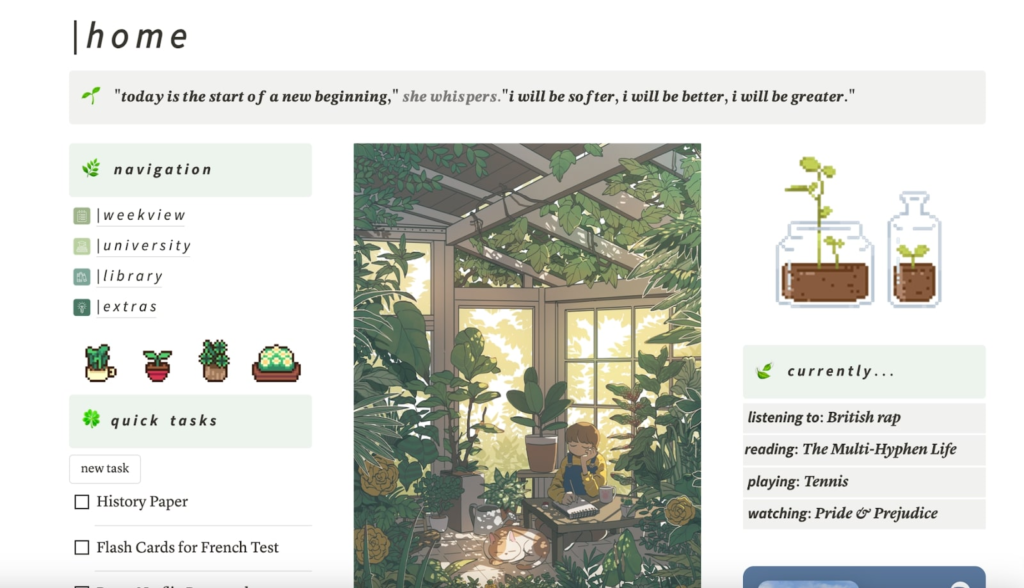
Users can create a daily planner, content calendar, project tracker, or knowledge base in one workspace.
Key features:
- Notes and document organization
- Task and project management
- Customizable pages and databases
- Collaboration features
- AI features on supported plans
Notion can be especially useful for people who manage multiple projects and want to keep information organized in one place.
3. Google Maps – Smarter Navigation
It can be useful for daily commuting, road trips, and discovering businesses or services. Depending on the location, users may also find information about traffic, public transportation, and available routes.
Key features:
- Turn-by-turn navigation
- Location search
- Route planning
- Traffic information in supported areas
- Saved places and lists
Google Maps can make travel more convenient, especially when visiting unfamiliar locations. Users should follow local traffic rules and avoid interacting with their phones while driving.
4. Duolingo – Learn Languages Through Short Lessons
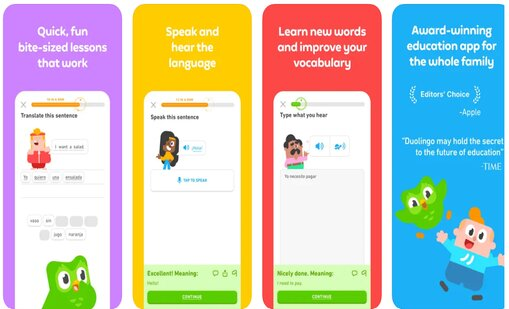
The app can be useful for people who want to learn a new language for travel, education, work, or personal interest.
Key features:
- Short learning sessions
- Interactive exercises
- Progress tracking
- Practice activities
- Gamified learning experience
Regular practice is important when learning a language. Duolingo can support language learning, although users may also benefit from conversation practice and other learning resources.
5. Canva – Simple Design and Content Creation
It can be used to make presentations, social media posts, posters, invitations, resumes, and other graphics. Templates make it easier to start a design and customize it for different purposes.
Key features:
- Ready-made design templates
- Graphic and presentation creation
- Image and text editing
- Collaboration tools
- AI-assisted design features on supported plans
Canva is useful for students, small businesses, marketers, and content creators who need attractive visuals quickly.
6. Google Keep – Quick Notes and Reminders
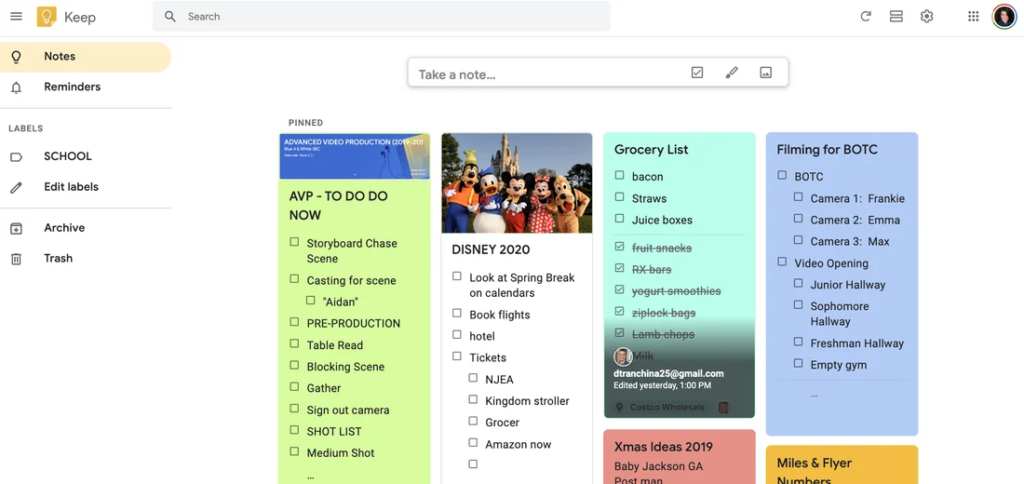
It is useful when users need to remember something quickly, such as a grocery item, meeting note, or task.
Key features:
- Quick notes
- Checklists
- Color-coded organization
- Reminders
- Synchronization across supported devices
Google Keep can be a convenient option for everyday planning because it keeps simple information easy to access.
7. Spotify – Personalized Music and Audio
Personalized recommendations and playlists can help users discover content based on their listening habits.
Key features:
- Music streaming
- Personalized playlists
- Music and podcast discovery
- Saved libraries
- Offline listening on supported plans
Spotify can be useful during commuting, exercise, or leisure time. Available features may differ depending on region and subscription.
8. Microsoft Lens and Document Scanning Tools
Document-scanning applications help users convert paper documents into digital files. They can be useful for scanning receipts, notes, forms, and printed pages.
Microsoft Lens was a familiar example of this type of tool, but its availability and support have changed. Users should check the current app status and consider supported alternatives such as built-in phone scanning features or other trusted scanning applications.
Useful scanning features may include:
- Document capture
- Cropping and perspective correction
- PDF creation
- Text recognition
- Digital file sharing
Document-scanning tools can reduce the need to keep physical copies of everyday paperwork. Users should be careful when scanning confidential or sensitive documents.
9. Todoist – Manage Daily Tasks
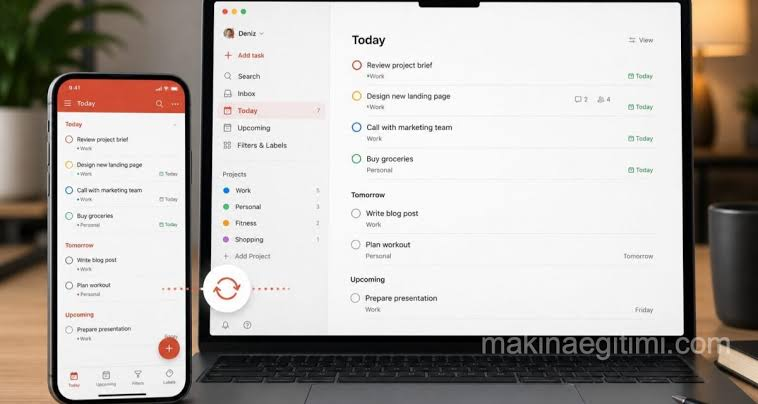
A clear task list can help users prioritize activities and avoid forgetting important deadlines.
Key features:
- Task lists
- Due dates and recurring tasks
- Priority levels
- Project organization
- Collaboration options
Todoist is useful for people who prefer a structured way to manage their daily responsibilities.
10. AltFTool – Discover Digital Tools for Everyday Needs
AltFTool is a digital tools platform that brings together resources for productivity, writing, content creation, design, marketing, development, images, PDFs, conversion, and other everyday tasks.
It can help users explore different digital resources without needing to search separately for every type of activity.
Key areas include:
- Productivity and digital utilities
- Writing and content creation
- Image and PDF-related tools
- Conversion tools
- Marketing and development resources
AltFTool can be useful for students, creators, marketers, developers, designers, and professionals who regularly work with digital tasks.
Comparison of Innovative Apps
The following table provides a quick overview of the applications and their primary uses.
| App | Main Purpose | Best For |
|---|---|---|
| ChatGPT | AI assistance | Learning, writing, and planning |
| Notion | Workspace organization | Notes and projects |
| Google Maps | Navigation | Travel and commuting |
| Duolingo | Language learning | Students and learners |
| Canva | Graphic design | Creators and businesses |
| Google Keep | Notes and reminders | Everyday organization |
| Spotify | Music and audio | Entertainment |
| Document scanners | Digital documents | Students and professionals |
| Todoist | Task management | Daily planning |
| AltFTool | Digital tools and utilities | Creators and professionals |
The best app depends on your needs. You do not need to install every application listed here. Choose the tools that solve the challenges you face most often.
How Innovative Apps Make Daily Life Easier
Innovative apps can improve everyday life in several ways.
Save Time on Everyday Tasks
Applications can help users complete activities more efficiently. Digital calendars, reminders, navigation tools, and AI assistants can reduce the time spent organizing information or planning routines.
Improve Productivity
Task management and workspace applications help users organize responsibilities and keep track of deadlines. A structured workflow can make it easier to focus on important tasks.
Support Learning and Personal Growth
Educational apps provide convenient ways to learn new skills. Short lessons, interactive activities, and digital resources can help users practice at their own pace.
Simplify Communication
Messaging and collaboration applications help people share information, discuss projects, and coordinate activities. This can be particularly useful for remote teams and students working together.
Encourage Creativity
Design and content creation apps make it easier to produce presentations, graphics, videos, and other digital materials. Templates and AI-assisted features can help users get started.
How to Choose the Right Innovative Apps
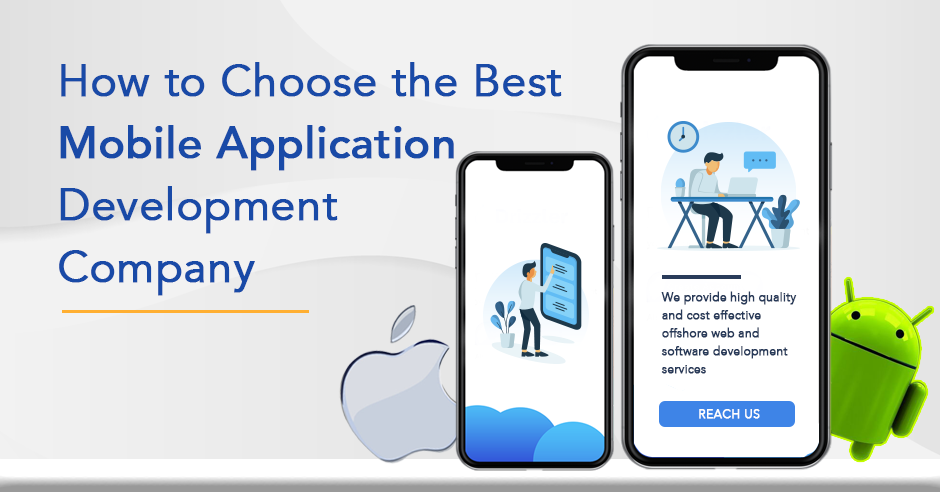
Choosing the right app requires understanding what you want to achieve.
Identify Your Main Need
Start by identifying the task you want to improve. If you need help organizing work, consider a task manager. If you want to learn something new, explore an educational app.
Check Ease of Use
An application should be easy to understand and use. A complicated interface may create more work than it saves.
Compare Free and Paid Features
Many applications offer free plans with optional paid upgrades. Review the features you need before subscribing.
Review Privacy and Security
Check the app’s permissions and privacy policy, especially if it handles personal documents, financial information, or private communications.
Avoid Installing Too Many Apps
Using too many applications can lead to duplicated tasks and unnecessary notifications. Start with a few useful tools and expand only when needed.
Common Mistakes to Avoid
Although innovative apps can be helpful, using them without a clear purpose may reduce their benefits.
- Installing applications simply because they are popular
- Ignoring privacy settings
- Paying for features that are rarely used
- Using multiple apps for the same task
- Relying entirely on AI-generated information
- Allowing notifications to interrupt concentration
- Forgetting to update applications when needed
A thoughtful approach helps ensure that technology supports your routine rather than distracting from it.
Future of Innovative Apps in 2026

The development of mobile applications continues to focus on AI, personalization, automation, and connected experiences.
AI-powered apps can assist with writing, learning, planning, and organizing information. Smart applications may also become more capable of understanding user preferences and simplifying multi-step tasks.
At the same time, privacy, security, and responsible technology use remain important. Users should understand how applications collect and process information before relying on them.
The most useful innovations will be those that make technology easier to use while helping people remain in control of their everyday activities.
Best Innovative Apps to Make Life Easier in 2026
Technology is becoming an essential part of everyday life. From managing work schedules and learning…
Step-by-Step Tutorials for Beginners: A Complete Guide
Learning something new has become easier with the availability of online tutorials, digital learning platforms,…
Top Innovative Apps That Make Life Easier in 2026
Technology continues to change how people work, study, communicate, shop, and manage everyday responsibilities. In…

Latest Discount Codes & Promo Offers to Save in 2026
Online shopping has made it easier to compare products, discover new brands, and order almost…
Top Innovation Apps to Try in 2026 for Better Ideas & Growth
Let’s be honest with ourselves for a second. We’ve all done it. You get a…

Best Software How-To Guides: Learn Popular Tools Step by Step
Let’s be honest for a second: opening a brand-new software program can give anyone a…