
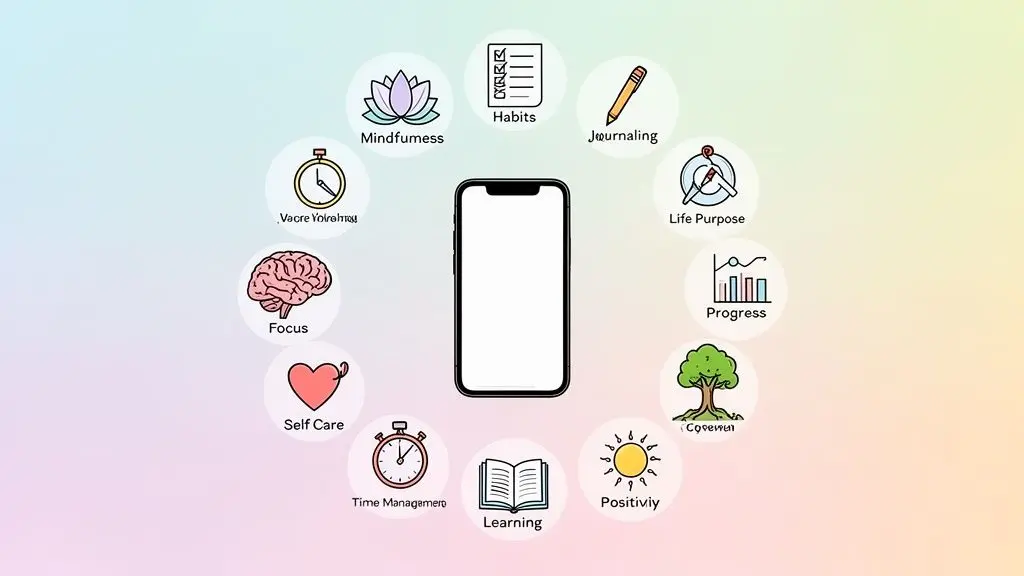
Technology continues to change how people work, study, communicate, shop, and manage everyday responsibilities. In 2026, innovative apps are making these activities more convenient by bringing useful services directly to smartphones, tablets, and computers.
From AI assistants that help organize information to budgeting apps that track spending, modern applications can reduce repetitive work, simplify planning, and support better decisions. Students can use digital learning platforms to develop new skills, professionals can collaborate remotely, and households can manage schedules and connected devices more efficiently.
However, choosing the right apps can be challenging because thousands of applications offer similar features. The best choice depends on your needs, budget, device compatibility, and privacy expectations.
This guide explores useful app categories, examples of established applications, their main benefits, and practical tips for choosing the right digital tools in 2026.

1. AI Assistant Apps for Everyday Tasks
Artificial intelligence has become an important feature of modern digital applications. AI assistant apps can help users brainstorm ideas, summarize information, draft content, explain concepts, and organize complex tasks.
These applications are useful for people who regularly work with information, including students, writers, marketers, freelancers, and business professionals.
An AI assistant for brainstorming, writing, learning, coding assistance, and understanding information. Its available features depend on the plan and platform.
Best for: General assistance, writing, and learning
An AI assistant that can help with questions, ideas, writing, and supported Google ecosystem tasks, depending on account access and enabled integrations.
Best for: AI assistance and Google ecosystem users
How these apps make life easier: Instead of starting every task from scratch, users can ask for an outline, request an explanation, or generate ideas and then review and refine the results.
AI-generated information should always be checked for accuracy, especially when it relates to health, money, legal matters, or important professional decisions.
2. Productivity Apps to Organize Your Day
Productivity apps help users manage deadlines, build routines, track projects, and remember important responsibilities. They can be especially useful when several tasks need attention at the same time.

Popular examples include:
Helps users create task lists, set due dates, organize projects, and track personal or work responsibilities.
Best for: To-do lists and task management
Combines notes, documents, databases, project planning, and customizable workspaces in one application.
Best for: Notes, planning, and shared workspaces
Helps users schedule appointments, plan meetings, manage events, and receive reminders.
Best for: Scheduling and time management
Practical tip: Start with one task manager and one calendar. Adding too many overlapping productivity apps can make your routine more complicated instead of simpler.
3. Personal Finance Apps to Manage Money
Managing money becomes easier when you can review spending, organize financial goals, and receive reminders about bills. Personal finance apps can help users understand where their money goes and build more consistent budgeting habits.
Useful options include:

Money Manager Expense & Budget
Helps users record income and expenses, organize transactions, and review spending patterns.
Best for: Personal budgeting and expense tracking
Lets users build customized budgets, track monthly expenses, and calculate savings using spreadsheets.
Best for: Flexible budgets and expense reports
These apps can help you create a monthly budget, identify unnecessary subscriptions, and plan for future expenses. Some features may require an account, subscription, or manual data entry.
For financial safety, use trusted applications, protect your device with a passcode, and review permissions before connecting bank accounts or sharing transaction information.
4. Learning Apps for Building New Skills
Online learning apps make education more flexible by allowing users to study languages, explore professional subjects, and practise new skills at their own pace.

Consider these examples:
- Duolingo — Offers interactive language lessons and practice activities. Visit Duolingo.
- Khan Academy — Provides educational lessons and practice across a range of subjects. Visit Khan Academy.
- Coursera — Offers online courses and professional learning programs from educational institutions and organizations. Visit Coursera.
These platforms can help students reinforce classroom learning and allow professionals to explore new skills. Course availability, certificates, and pricing vary by program.
Life hack: Set aside 15–20 minutes each day for learning. A manageable routine is often easier to maintain than an ambitious schedule that quickly becomes difficult to follow.
5. Communication Apps for Staying Connected
Communication apps help people stay in touch with family, friends, colleagues, and clients. Messaging, voice calls, video meetings, and file sharing can all happen through a mobile device or computer.
Helps users participate in video meetings for remote work, online classes, and personal conversations.
To make communication more efficient, mute non-essential group notifications, use clear message subjects when appropriate, and choose calls or meetings when a conversation requires more discussion.
Remember to review privacy settings and verify who can access shared links, files, and group conversations.
6. Navigation and Travel Apps
Navigation applications help users find destinations, estimate journeys, and explore unfamiliar locations. Travel applications can also help organize reservations, itineraries, and essential trip information.

Examples include:
- Google Maps — Provides maps, directions, and location information, with some offline features. Visit Google Maps.
- Waze — Offers driving directions and community-reported road information where available. Visit Waze.
- Google Translate — Helps users translate supported languages and text. Visit Google Translate.
These applications can reduce uncertainty while travelling and make it easier to plan routes. However, maps and travel information can be incomplete or outdated, so check important details and follow road signs and local instructions.
7. Smart Home and Daily Utility Apps
Smart home and utility apps can simplify household routines by helping users control compatible devices, organize files, scan documents, or manage daily information.
Examples include:
- Google Home — Helps manage supported smart home devices and routines. Explore Google Home.
- Microsoft Lens alternatives and document scanning apps — Document scanning applications can turn paper documents into digital files. Check your device’s built-in scanning features or trusted app store options.
- Google Drive — Stores and organizes files and supports sharing with selected permissions. Explore Google Drive.

Before connecting household devices, check compatibility and security requirements. Use strong passwords, install updates, and avoid granting unnecessary permissions to utility apps.
8. Best Apps for Content Creation and Creativity
Creative applications help users produce graphics, edit videos, prepare presentations, and create content for personal or professional projects. They are useful for social media creators, students, marketers, and small businesses.
Offers video editing features for short videos, social media clips, captions, and creative projects, depending on platform and availability.
Best for: Short-form video editing
These apps can reduce the time needed to create polished content, especially when you use templates and reusable designs. Review licensing conditions before using images, music, fonts, or other assets commercially.
9. How to Choose the Right Innovative Apps
With so many apps available, installing everything that looks useful can quickly clutter your phone and increase distractions. Instead, choose applications based on the problems you want to solve.
| Your Need | App Type to Consider | What to Check |
|---|---|---|
| Better organization | Task manager or calendar | Reminders and ease of use |
| Improved money management | Budgeting app or spreadsheet | Privacy and tracking features |
| Learning a new skill | Learning platform | Course quality and cost |
| Creating content | Design or video editor | Export options and licensing |
| Managing files | Cloud storage app | Storage limits and sharing controls |
| Simplifying home routines | Smart home app | Device compatibility and security |
Before installing an app, read recent user reviews, check the developer, compare free and paid features, and review the privacy policy. An app’s popularity alone does not guarantee that it will meet your needs.
10. Benefits and Challenges of Innovative Apps
Innovative apps offer many advantages, but their usefulness depends on how they are used.
| Benefits | Possible Challenges |
|---|---|
| Save time on routine tasks | Too many notifications |
| Improve planning and organization | Dependence on digital services |
| Support learning and creativity | Subscription costs |
| Make communication more convenient | Privacy and security risks |
| Help track personal goals | Inaccurate AI-generated information |
| Provide access to useful services | Device and internet requirements |
The best approach is to use apps intentionally. Choose tools that solve real problems, protect your personal information, and remove applications that no longer provide value.
Frequently Asked Questions
1. What are the best innovative apps in 2026?
Useful options include ChatGPT for AI assistance, Todoist for task management, Notion for organization, Canva for design, Google Maps for navigation, and Duolingo for language learning. The best choice depends on your needs.
2. Which apps can make everyday life easier?
Calendar applications, budgeting tools, navigation apps, messaging platforms, document scanners, and AI assistants can simplify common daily activities.
3. Are innovative apps free to use?
Some apps offer free versions, while others require subscriptions or in-app purchases for certain features. Always check the current pricing and limitations before subscribing.
4. Are AI apps safe to use?
AI apps can be useful, but safety depends on the service, its privacy practices, and how you use it. Avoid entering sensitive information unnecessarily and verify important outputs.