

The mobile app industry is growing faster than ever in 2026. Whether you want to communicate with friends, manage your work, make digital payments, or use AI tools for content creation, there is an app for almost everything. However, with thousands of options available on Android and iPhone, choosing the right app can quickly become confusing.
Many apps offer similar features, but the actual experience can be very different. Some apps focus on speed and simplicity, while others provide advanced tools for professionals. Some prioritize privacy and security, while others focus on social features and integrations.
That’s why comparing apps side-by-side is one of the smartest ways to find the perfect app for your needs. In this guide, we’ll compare some of the most popular apps in 2026 based on features, performance, pricing, security, usability, and overall value.
Why App Comparisons Are Important in 2026
Today’s users expect more from apps than ever before. A good app should not only work smoothly but also protect your data, save your time, and provide real value. Unfortunately, many apps spend heavily on marketing while offering average performance.
App comparisons help users make informed decisions before downloading or subscribing to any platform. Instead of wasting time testing multiple apps individually, side-by-side comparisons allow you to quickly identify which app matches your goals and preferences.
Comparisons are also useful because they highlight hidden differences such as pricing structures, premium features, customer support quality, and privacy policies. In 2026, where subscription-based apps dominate the market, making the right choice can save both money and frustration.
Messaging Apps Compared: WhatsApp vs Telegram vs Signal
Messaging apps are no longer limited to sending simple text messages. Modern messaging platforms now support video calls, communities, cloud storage, AI chat tools, and advanced file sharing.
WhatsApp remains the most widely used messaging app globally because of its simplicity and massive user base. It works well for personal communication and offers reliable voice and video calling features. However, some users feel limited by its smaller file-sharing capabilities and fewer customization options.
Telegram has become increasingly popular among users who manage large communities or need better file-sharing support. It allows massive group sizes, cloud-based storage, and advanced customization features that many competitors still lack.
Signal, on the other hand, is designed primarily for privacy-conscious users. It focuses heavily on secure communication and minimal data collection. Although it may not offer as many advanced features as Telegram, it remains one of the safest messaging apps available today.
Messaging Apps Comparison Table
| Feature | Telegram | Signal | |
|---|---|---|---|
| End-to-End Encryption | Yes | Partial | Yes |
| Group Capacity | 1024 | 200,000+ | 1000 |
| File Sharing Limit | 2GB | 4GB | 100MB |
| Cloud Storage | Limited | Unlimited | Limited |
| Best For | Everyday Chatting | Large Communities | Privacy & Security |
For users who value flexibility and large communities, Telegram is often the better choice. However, users focused on privacy and secure communication may prefer Signal.
AI Assistant Apps Compared in 2026

Artificial intelligence apps are now part of daily life for students, professionals, marketers, and businesses. AI assistants help users write content, generate ideas, answer questions, create code, summarize information, and improve productivity.
ChatGPT continues to dominate the AI space because of its strong writing abilities, conversational accuracy, and versatility. It is widely used for blogging, research, learning, coding, and business tasks.
Gemini has become a strong competitor, especially for users deeply connected to Google’s ecosystem. It integrates smoothly with Google services and performs well for search-related tasks and productivity workflows.
Claude is highly appreciated for long-form writing and natural responses. Many writers and researchers prefer it for detailed content generation and brainstorming.
AI Apps Comparison Table
| Feature | ChatGPT | Gemini | Claude |
|---|---|---|---|
| Writing Quality | Excellent | Very Good | Excellent |
| Coding Support | Strong | Good | Strong |
| Creativity | High | Moderate | High |
| Research Ability | Advanced | Advanced | Moderate |
| Free Version | Yes | Yes | Yes |
| Best For | All-Purpose Use | Google Users | Writers & Researchers |
For most users, ChatGPT remains the best all-around AI assistant in 2026 due to its balance of creativity, productivity, and usability.
Payment Apps Compared: Google Pay vs PhonePe vs Paytm
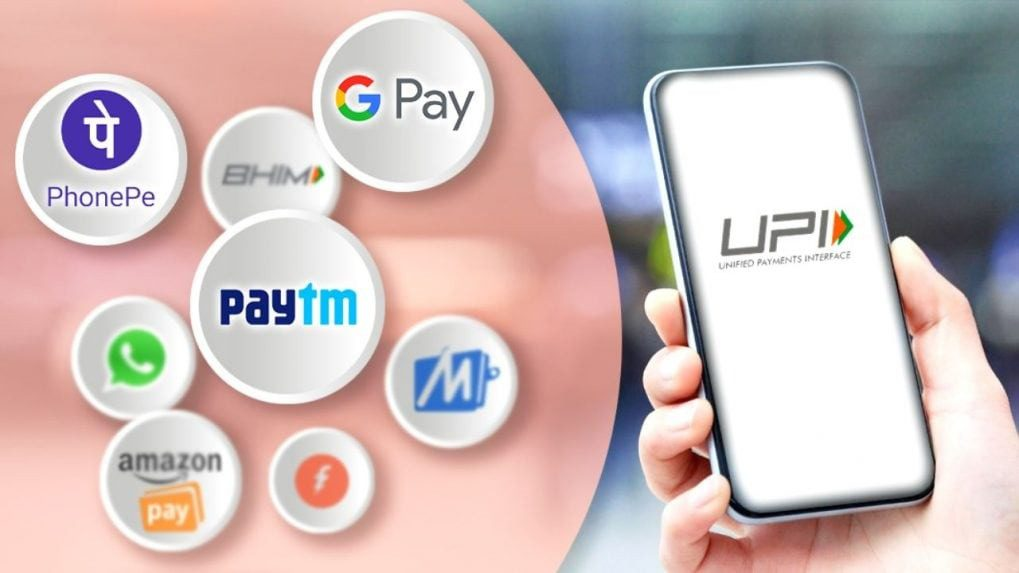
Digital payment apps continue to transform how people handle money in 2026. From utility bill payments to online shopping and UPI transfers, payment apps are now essential in everyday life.
Google Pay is known for its clean interface and reliable payment system. It offers a smooth experience for users who prefer simplicity and quick transactions.
PhonePe has gained popularity because of its cashback rewards, user-friendly design, and wide merchant acceptance across India. Many users choose it for daily payments and offers.
Paytm offers a broader ecosystem that includes wallet services, ticket booking, investments, and financial products. While feature-rich, some users find the interface slightly more crowded compared to competitors.
Payment Apps Comparison Table
| Feature | Google Pay | PhonePe | Paytm |
|---|---|---|---|
| UPI Support | Yes | Yes | Yes |
| Cashback Offers | Moderate | High | Moderate |
| Interface | Clean | Simple | Feature Heavy |
| Speed | Fast | Fast | Moderate |
| Additional Services | Limited | Moderate | Extensive |
| Best For | Simple Payments | Rewards & Cashback | All-in-One Finance |
For users who enjoy rewards and cashback offers, PhonePe currently provides one of the best overall experiences.
Productivity Apps Compared: Notion vs Evernote vs OneNote
Productivity apps are essential for students, professionals, freelancers, and teams. These apps help users organize notes, manage tasks, store documents, and collaborate with others.
Notion has become one of the most powerful productivity platforms thanks to its flexibility and modern workspace design. It combines note-taking, databases, project management, and team collaboration in one app.
Evernote remains popular among users who prefer traditional note-taking with a simple interface. It works well for storing quick ideas, documents, and personal notes.
Microsoft OneNote is an excellent choice for users already working within the Microsoft ecosystem. It integrates well with tools like Word, Excel, and Teams.
Productivity Apps Comparison Table
| Feature | Notion | Evernote | OneNote |
|---|---|---|---|
| Note Taking | Excellent | Excellent | Very Good |
| Team Collaboration | Strong | Moderate | Strong |
| Templates | Extensive | Limited | Moderate |
| AI Features | Yes | Limited | Yes |
| Ease of Use | Moderate | Easy | Easy |
| Best For | Teams & Creators | Personal Notes | Microsoft Users |
For advanced productivity and collaboration, Notion stands out as the strongest option in 2026.
What to Consider Before Choosing an App
Before downloading any app, users should focus on several important factors beyond popularity. Security should always be a top priority, especially for messaging and payment apps. Checking app permissions and privacy policies can help avoid potential risks.
Pricing is another important consideration. Many apps appear free initially but later require expensive subscriptions to unlock useful features. Users should compare free and premium plans carefully before investing.
Ease of use also matters significantly. The best app is not necessarily the one with the most features but the one that fits naturally into your daily routine.
Cross-platform compatibility is equally important because users often switch between smartphones, tablets, and laptops throughout the day.
Latest Discount Codes & Promo Offers to Save in 2026
Online shopping has made it easier to compare products, discover new brands, and order almost…